How to Add VitalSource to a Course in UNM Canvas
Note: Beginning with Fall 2026 courses, VitalSource replaces RedShelf as the system used by the UNM Bookstore to manage the Course Materials Access program. During the transition, two links will appear in the Canvas Account menu: My Shelf (Summer 2026) for Summer 2026 courses and My Shelf (Fall 2026) for Fall 2026 courses. We strongly recommend that instructors also add the appropriate My Shelf link to the course navigation menu. This makes the tool easier to find and allows students to access it through the Canvas Student mobile app.
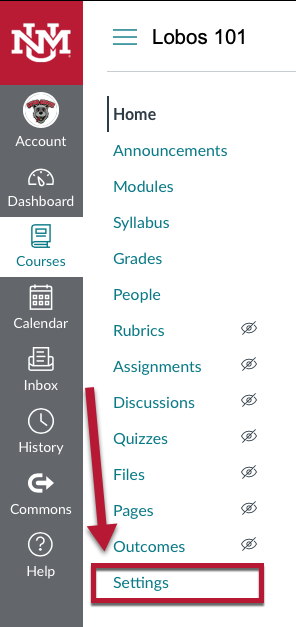
1. From inside the course click Settings on the bottom of the course menu.
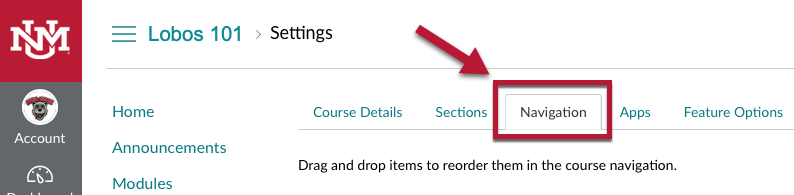
2. Click the Navigation tab at the top of the Settings page.
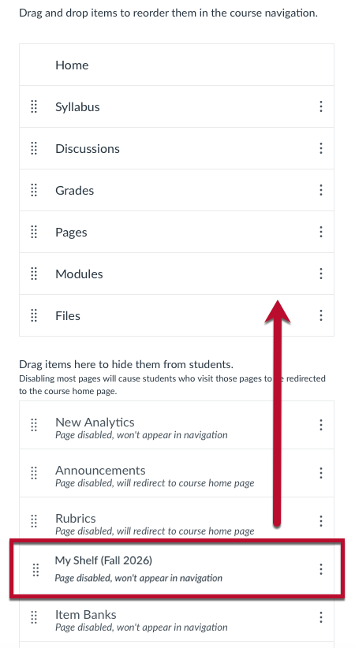
3. Drag My Shelf (Fall 2026) up to the visible course navigation area and then scroll down and click Save.